Les Nubles MilanoLES NUBLESLA BELLA MILANO
🌐 EN ▾
Menu

LA BELLA MILANO

How to enter

Follow the steps in order
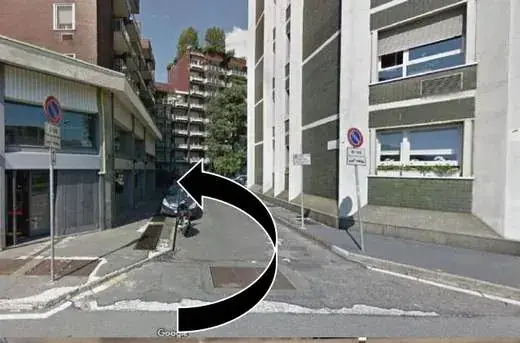
Step 1. Look for Caddy, the shop with blue signs selling personal care and household products.
Route behind the building to the internal square
Step 2. Walk around the back of Caddy. The entrance is in the small square opposite Torre Romana.
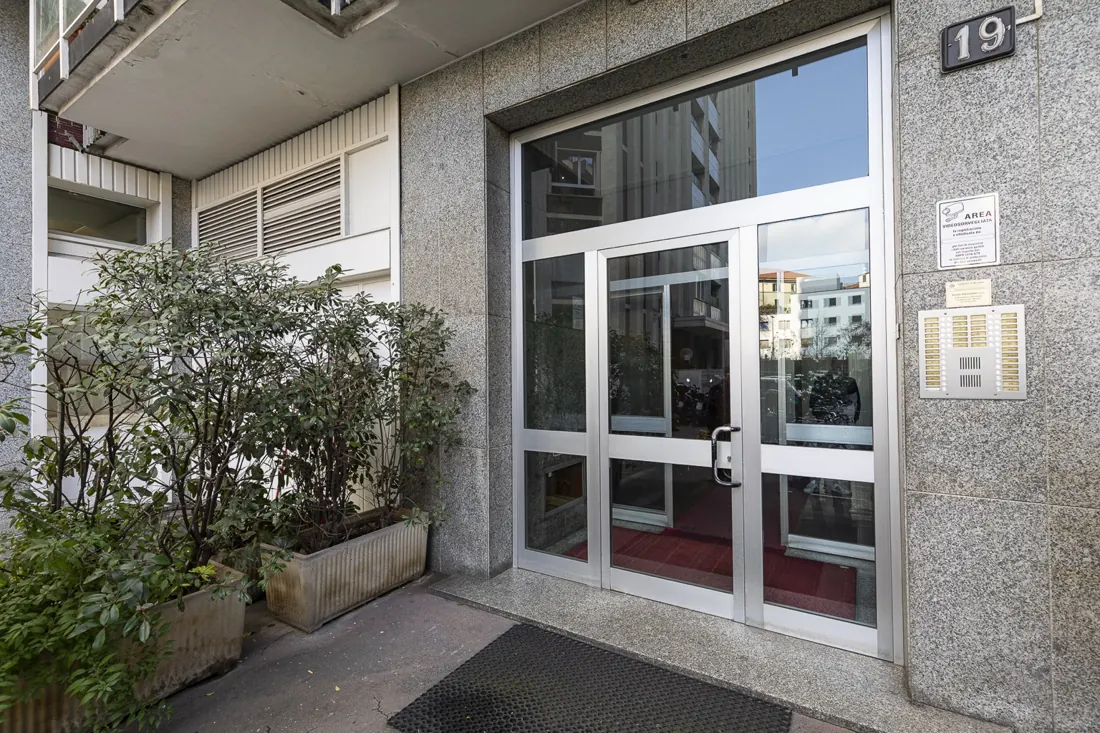
At the building entrance, tap “Open the building door” in this guide and wait for it to open. You do not need an app or a code for the building door. After tapping the button, wait about 10 seconds for the building door to open.
Step 3. At the building entrance, tap “Open the building door” in this guide and wait for it to open. You do not need an app or a code for the building door. After tapping the button, wait about 10 seconds for the building door to open.🔓 OPEN THE BUILDING DOOR
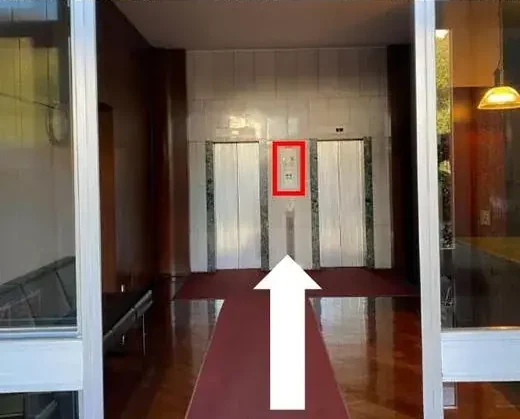
Entrance hall with the elevator call button highlighted
Step 4. Go inside and walk to the elevators. Press the button shown by the arrow.
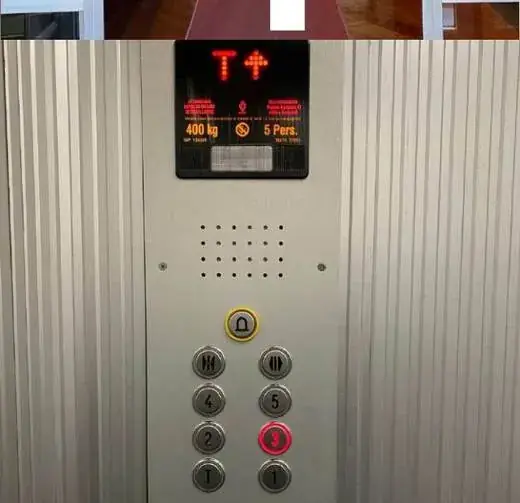
Elevator panel with the third floor highlighted
Step 5. Take either elevator. Press 3.
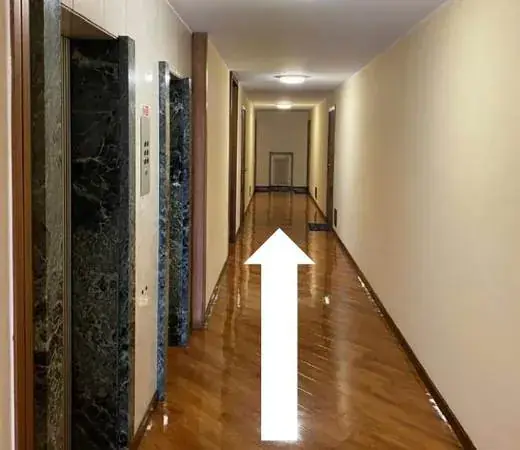
Third-floor hallway towards the radiator
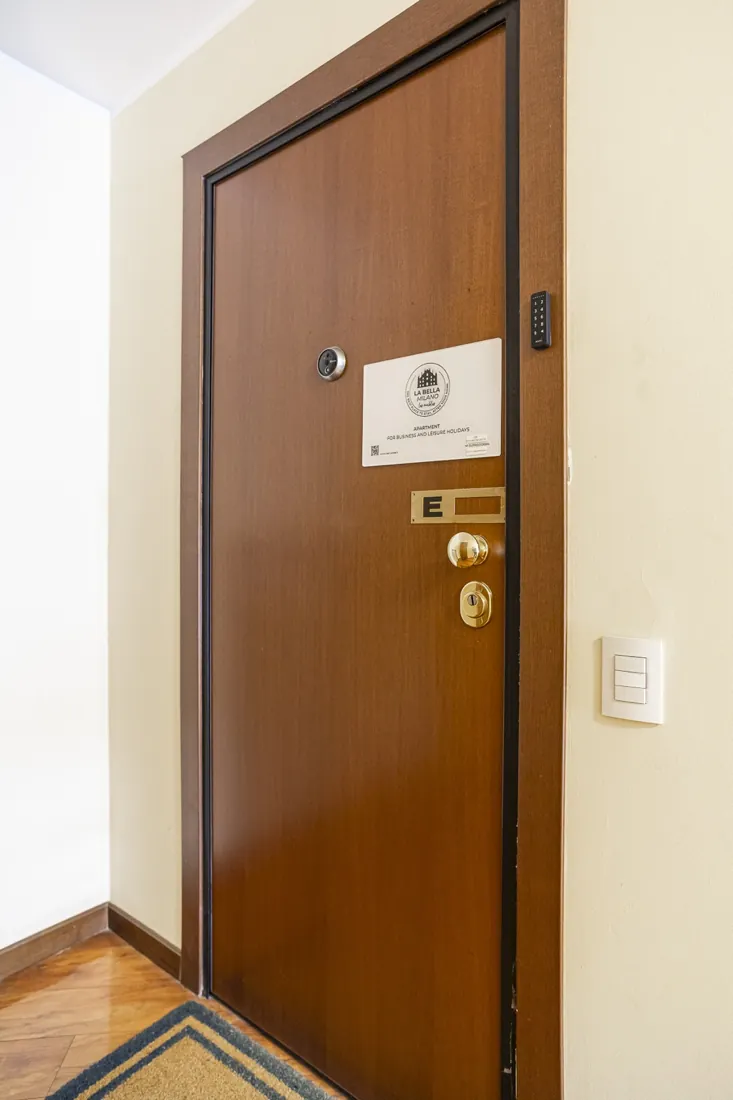
Step 6. Exit on the 3rd floor. Walk towards the radiator, away from the window. Find door E with the LA BELLA MILANO sign.
Apartment E door with keypad
Step 7 — Open the apartment door
  1. Enter the code sent on WhatsApp.
  2. Wait until the lock stops making a sound.
  3. When the sound has stopped, push the door open.

⚠ Do not pull the handle. Do not push while you can hear the lock.
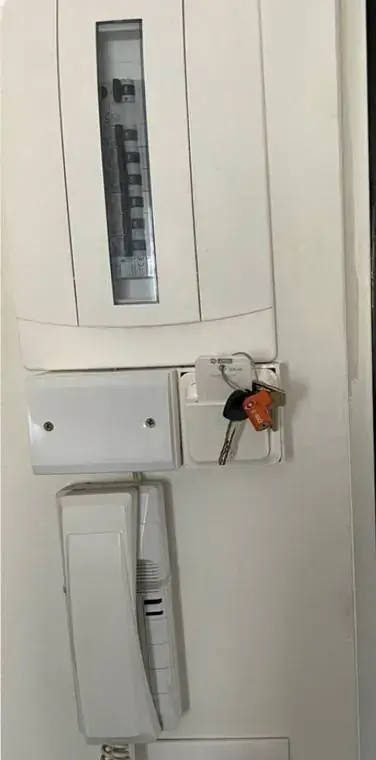
Building and apartment keys with black cover
Step 8. The keys are on your right as you enter. The apartment key has a black cover. Automatic entry is disabled after your first visit: always take the keys with you.
Security notice: A camera monitors the entrance to check that only guests listed on the reservation enter. If more people enter than are included in the booking, management may charge the related extra costs.